The best microphones for video calls make your voice easier to hear, with simple connections and controls that fit your desk and meeting habits. Choose among plug-and-play USB models, adjustable boom kits, or microphones with multiple pickup patterns and XLR flexibility.
Quick Top Products
FIFINE K683A USB Microphone

- Connects by USB without an extra driver.
- Provides a gain knob, instant mute, and headphone monitoring.
- Includes a foldable tripod stand and pop filter.
Best For: Home workers who want gain, mute, and headphone monitoring within easy reach.

FIFINE K669B USB Microphone

- Connects directly to USB-A with its included cable.
- Has a physical volume knob that can be set to zero.
- Uses a cardioid pattern to focus on the main voice.
Best For: People who want an uncomplicated desktop mic with a physical volume control.
MAONO DGM20 USB Gaming Microphone
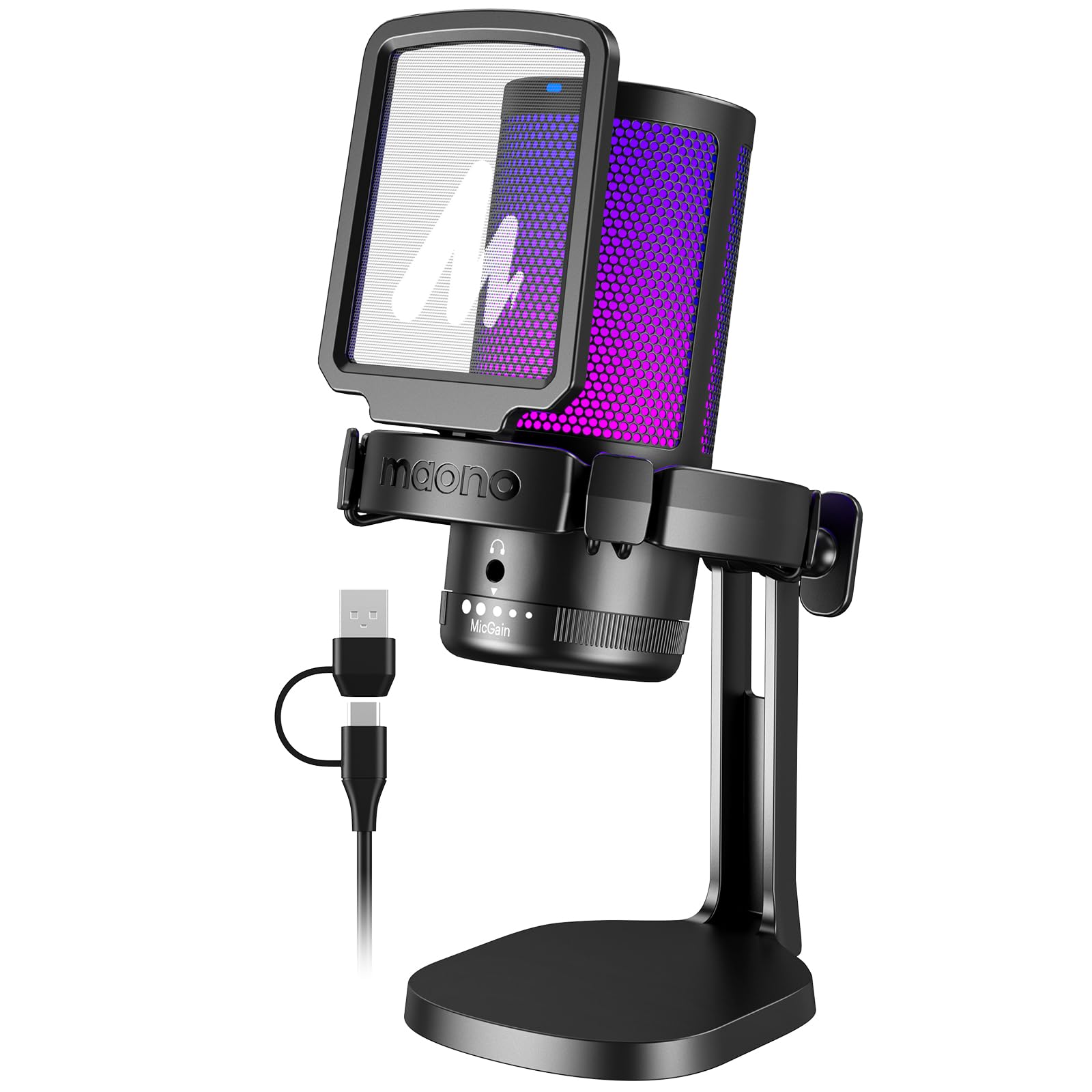
- Offers a one-key noise-cancellation function.
- Includes gain control, one-click mute, and headphone monitoring.
- Connects with the included USB and USB-C cable.
Best For: Callers who want a dedicated noise-cancellation control and headphone monitoring.
FIFINE AmpliGame AM8 White

- Supports both USB and XLR connections.
- Includes gain, mute, headphone, and headphone-volume controls.
- RGB lighting can be adjusted over USB.
Best For: Callers who want USB simplicity now and the option to connect through XLR equipment later.
MAONO PD200XS Dynamic Microphone Kit
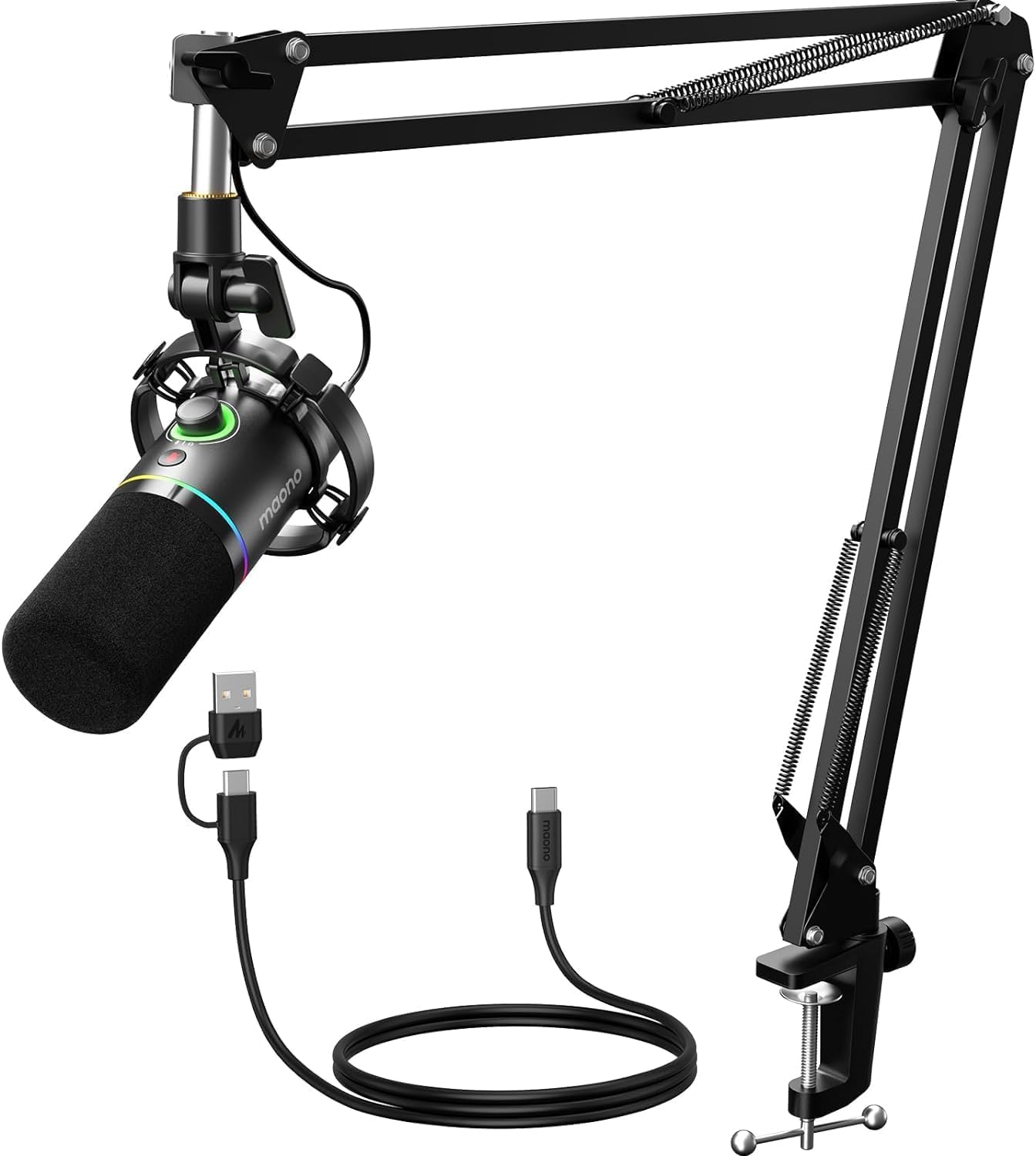
- Provides USB and XLR interfaces.
- USB software includes EQ, limiter, and compressor adjustment.
- Includes a boom arm and one-click mute key.
Best For: Callers who want software sound controls, a boom arm, and USB/XLR connectivity.
JLab Talk USB Microphone
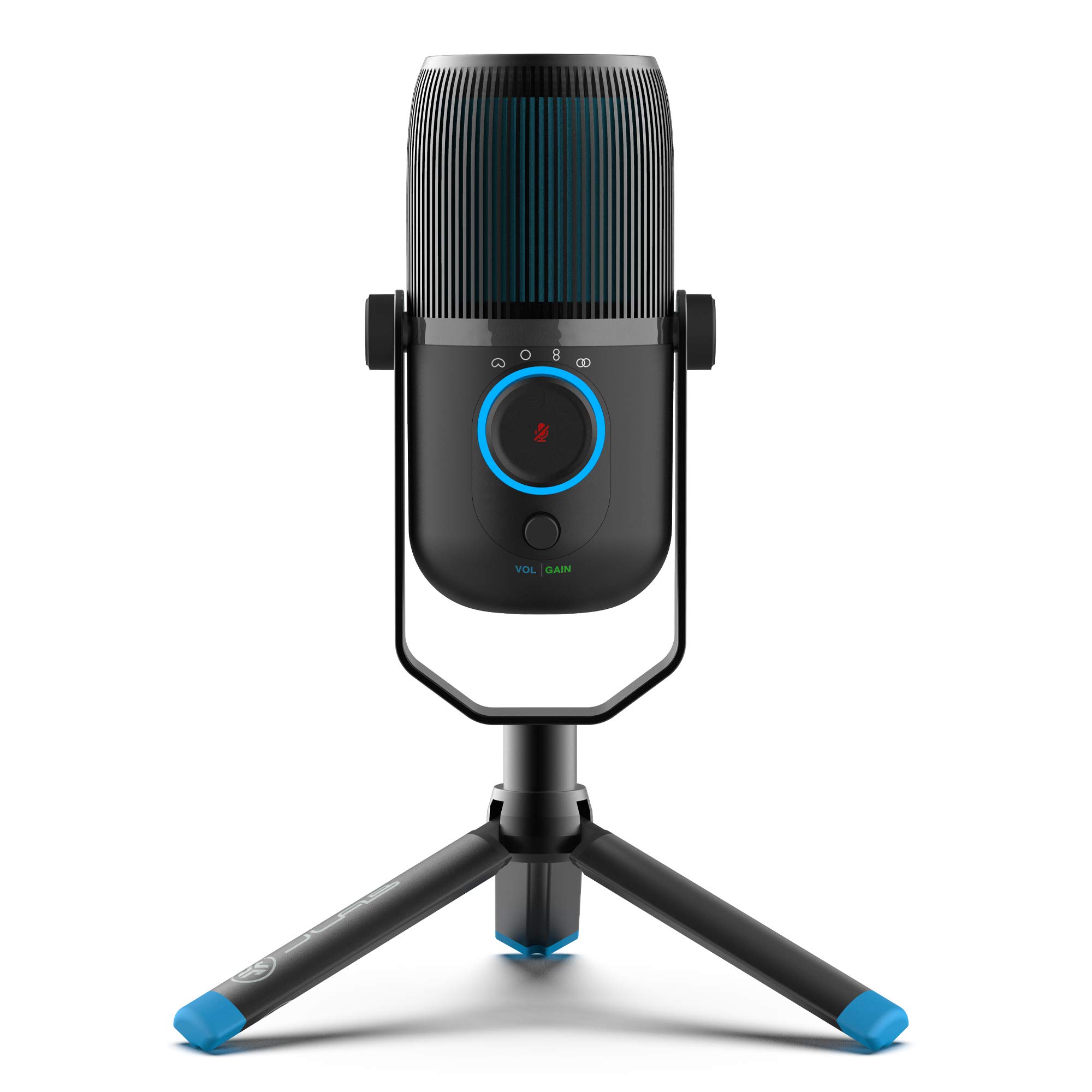
- Offers cardioid, omnidirectional, stereo, and bidirectional modes.
- Has gain, volume, and quick-mute controls.
- Connects over USB/USB-C and works without drivers.
Best For: People who switch between solo calls, group conversations, and recording uses.
MAONO PD400X Dynamic Microphone
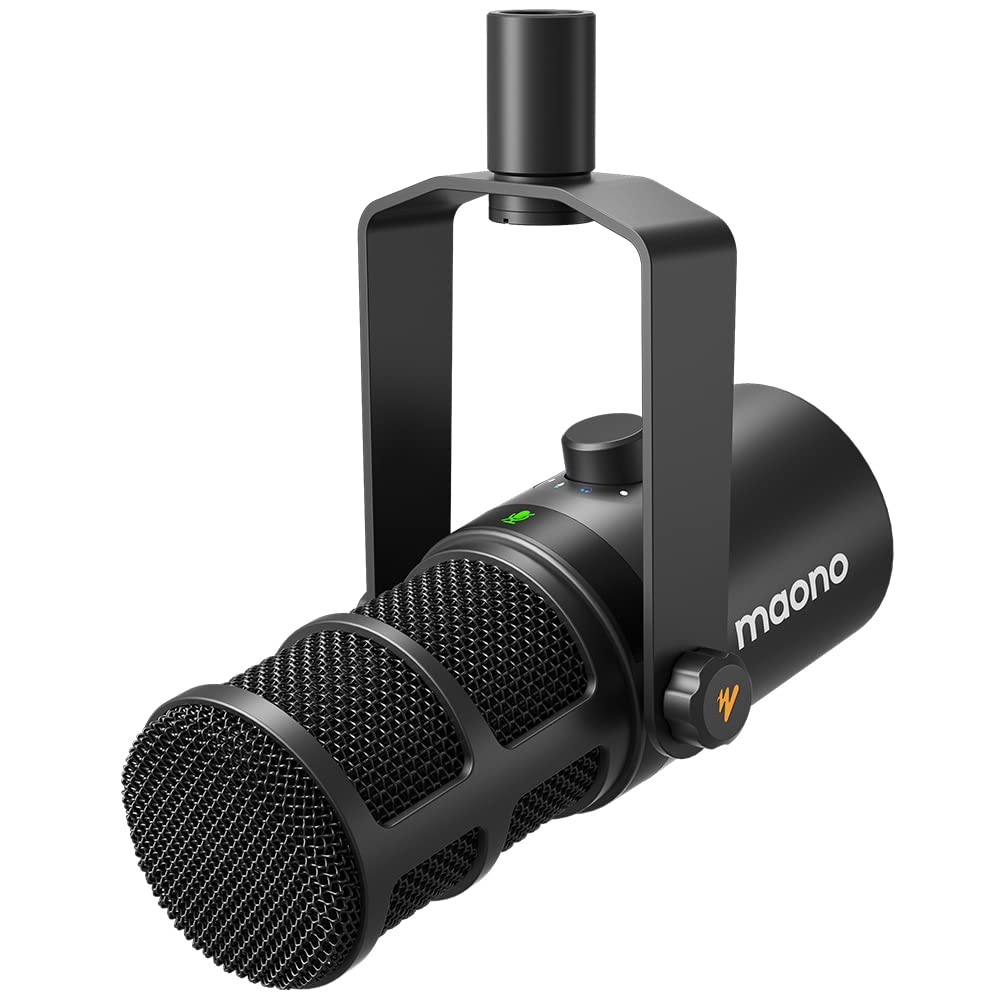
- Supports USB and XLR outputs.
- MAONO Link includes EQ, limiter, and compressor adjustments.
- Combines gain, headphone volume, monitor mix, and touch mute controls.
Best For: Users who want to tune voice settings in software and keep an XLR upgrade path.
SteelSeries Alias USB Mic
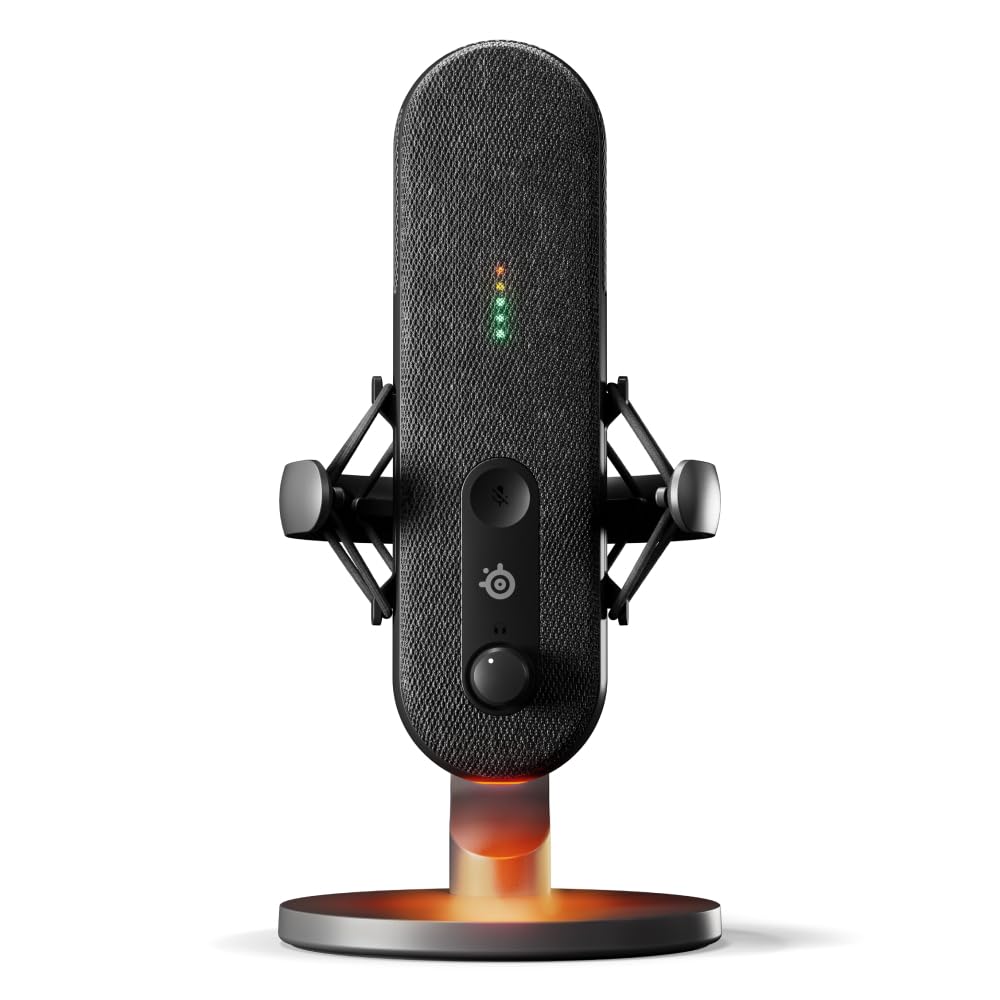
- Sonar software includes mixing, app routing, and AI noise cancellation.
- LEDs show audio levels and mute status.
- An integrated shock mount reduces unwanted vibration.
Best For: Callers who want at-a-glance mute and audio-level monitoring with software noise cancellation.
Samson Q9U Dynamic Microphone
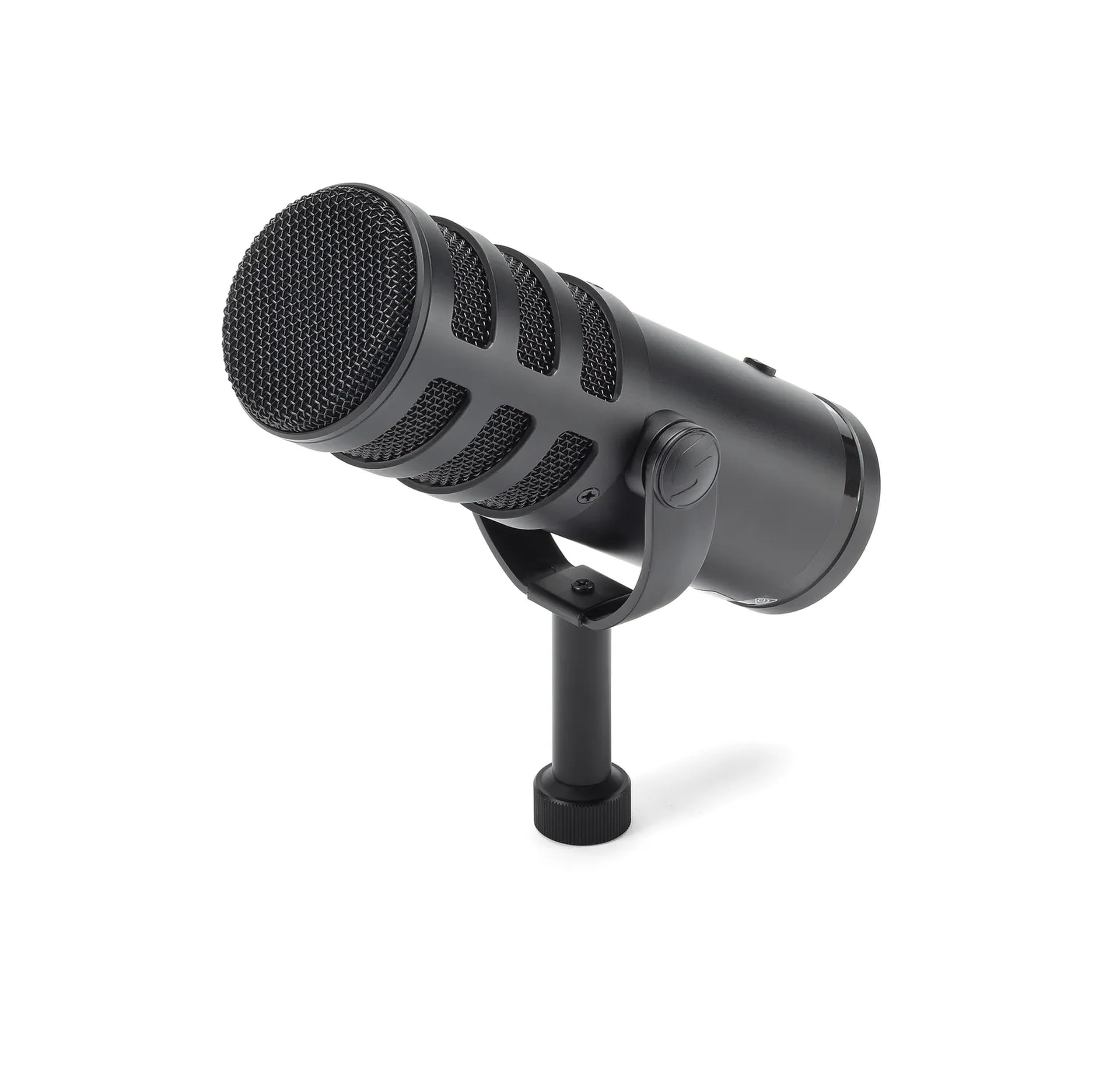
- Supports XLR and USB-C connections.
- Includes zero-latency headphone monitoring and mute.
- Uses a cardioid pattern and dual-layer windscreen.
Best For: Callers with a USB-C computer who want direct monitoring and room to add XLR equipment.
Easy Call Controls
FIFINE USB Desktop PC Microphone with Pop Filter for Computer and Mac, Studio Condenser Mic with Gain Knob Mute Button Headphone Jack for Gaming Streaming Recording YouTube, Extra USB-C Plug-K683A
The FIFINE K683A is a desktop condenser microphone with plug-and-play USB connectivity for Windows, Mac, and PS4. Its cardioid pickup pattern focuses on sound from the front, which suits a single person speaking during a video call.
A gain knob, instant mute button, and headphone jack provide practical controls without relying on software menus. The foldable tripod stand and included pop filter keep the setup straightforward.
It is a useful fit for a desk where you want the microphone close by, though it is incompatible with Xbox and uses a tabletop stand rather than a boom arm.
Best For: Home workers who want gain, mute, and headphone monitoring within easy reach.
| Pros | Cons |
|---|---|
|
|
Choose the K683A if you want physical controls and a simple desktop setup for solo calls. Its cardioid pattern and front-facing speaking position make it a better fit for one speaker than for a group gathered around the desk.
Check that your computer has USB-A or USB-C available and leave room for the stand. If you would rather move the microphone out of the way between calls, consider an arm-equipped kit such as the T683.
Straightforward Budget USB
FIFINE USB Microphone, Metal Condenser Recording Microphone for MAC OS, Windows, Cardioid Laptop Mic for Recording Vocals, Voice Overs, Streaming, Meeting and YouTube Videos-K669B
The FIFINE K669B keeps a video-call setup simple: it connects directly to a USB-A port and includes a 5.9-foot cable and stable tripod stand. Its cardioid condenser capsule is intended to focus on the main voice and reduce background noise, while the body-mounted volume knob offers quick adjustment or a zero-volume privacy setting.
It works with desktop and laptop computers and supports common voice chat and meeting uses. This is a compact choice for a fixed desk position.
It does not include the broader accessory package of an arm kit, and the notes flag incompatibility with phones and Xbox.
Best For: People who want an uncomplicated desktop mic with a physical volume control.
| Pros | Cons |
|---|---|
|
|
The K669B fits someone who wants to add a dedicated microphone without assembling an arm or learning a complicated control layout. Its USB-A connection is a practical match for many computers, but check your port before buying.
Because the microphone sits on a tripod, plan for desk space and position it toward your voice. Choose a boom-arm kit if you need the microphone to swing closer during calls and fold away afterward.
Noise Control for Busy Rooms
MAONO USB Gaming Microphone for PC, Noise Cancellation Condenser Mic with RGB, Mute, Gain, Computer Desk Mic for Streaming, Podcast, Chat, Twitch, YouTube, Discord, PS5, PS4, GamerWave DGM20 Black
The MAONO DGM20 is a USB condenser desktop microphone with a cardioid pattern aimed at the voice in front of it. A one-key noise-cancellation function gives users another way to manage background sound, and the listing notes that its adjustable noise-cancellation software is for Windows only.
The mic also has a gain knob, one-click mute, RGB lighting, and a 3.5 mm headphone jack for real-time, zero-latency listening. Its included USB and USB-C cable supports a range of computers and consoles.
For calls, its practical strength is control access; confirm which noise feature works with your operating system before relying on it.
Best For: Callers who want a dedicated noise-cancellation control and headphone monitoring.
| Pros | Cons |
|---|---|
|
|
Pick the DGM20 if you want dedicated mute and gain controls plus a noise-cancellation option for a home office with competing background sound. The software-based adjustment is specifically limited to Windows, so check your platform if you need more than the one-key control.
Its desktop form also takes space near your keyboard. If you need a movable microphone position, a boom-arm kit may fit your desk better.
USB Now, XLR Later
FIFINE XLR/USB Gaming Microphone for Streaming Podcasting, PC Computer RGB Mic, with Gain Knob, Mute Button, Monitoring Jack, Gamer Mic for Recording Video Creation-AmpliGame AM8 White
The FIFINE AM8 White is a dynamic microphone with both USB and XLR connectivity. USB provides a direct computer connection, while XLR can connect to a mixer or sound card as a setup grows.
For calls, its gain knob, tap-to-mute control, headphone jack, and headphone volume control are available over USB. Its cardioid design is intended to focus on a voice in front of the mic, and RGB lighting can be turned off or changed when connected by USB.
This white desktop microphone is sold without an arm in the supplied facts, so plan its placement and check whether the required XLR accessories are already on hand.
Best For: Callers who want USB simplicity now and the option to connect through XLR equipment later.
| Pros | Cons |
|---|---|
|
|
Choose the AM8 if you value a dynamic mic and want both a straightforward USB route and an XLR option for later. Its controls make most sense in USB mode, so compare the functions you need with the connection you plan to use.
Check what stand or arm is included with the offer before buying, since the supplied details do not clarify that point. If a boom arm is essential from day one, the AM8T kit includes one.
Software Tone Adjustments
MAONO XLR/USB Dynamic Microphone Kit, RGB Podcast Mic with Software, Mute, Gain Knob, Volume Control, Boom Arm for Streaming, Gaming, Voice-Over, Recording-PD200XS Black
The MAONO PD200XS combines a dynamic microphone with USB and XLR outputs, a boom arm, and software controls. In USB mode, MAONO Link supports EQ, limiter, and compressor adjustment, as well as microphone gain and headphone volume through its smart knob.
A one-click mute key has an LED indicator, and a 3.5 mm headphone jack supports monitoring. The cardioid pattern reduces unwanted background noise and highlights vocals.
This kit can suit a desk that needs a positioned arm and hands-on controls, but an XLR cable is not included. The software features are limited to USB mode, so check the connection you expect to use.
Best For: Callers who want software sound controls, a boom arm, and USB/XLR connectivity.
| Pros | Cons |
|---|---|
|
|
The PD200XS is a good match if you want a boom-mounted dynamic mic and expect to adjust the sound in software for calls or other voice work. Its USB mode has more accessible controls, while XLR requires a separate cable and does not offer the USB software feature set.
Check desk clamp clearance and whether the boom arm fits your workspace. If you only need plug-and-play call audio and do not plan to tune sound, a simpler USB desktop model may be easier.
Multiple Pickup Patterns
JLab Talk USB Microphone, USB-C Output, Cardioid, Omnidirectional, Stereo or Bidirectional, 96k Sample Rate, 20Hz, 20kHz Frequency Response, Volume, Gain Control, Quick Mute, Plug & Play
The JLab Talk offers four pickup patterns: cardioid, omnidirectional, stereo, and bidirectional. That flexibility can help when a microphone needs to serve both a solo video call and a conversation with people seated around it.
The USB microphone includes gain and volume controls, a quick mute, and a 3.5 mm input for real-time listening. It is plug-and-play and can attach to a swivel mount through its standard-size input.
The desktop condenser design is more adaptable than a single-pattern mic, though it is useful to select the pattern that matches the number and placement of speakers rather than leaving it unchanged for every call.
Best For: People who switch between solo calls, group conversations, and recording uses.
| Pros | Cons |
|---|---|
|
|
Choose the JLab Talk if you sometimes host a call with another person or want to use one mic for calls and other recording. Its pattern options are the key difference: cardioid suits one speaker, while omnidirectional or bidirectional can serve different arrangements.
Check how the microphone will sit or mount on your desk, because the supplied details mention mounting compatibility but do not identify an included stand. For a fixed solo setup, a simpler directional mic may take less adjustment.
App-Based Call Tuning
MAONO Dynamic Microphone, USB/XLR Podcast PC Microphone with Software, EQ,Tap-to-Mute, Headphone Jack, Gain Knob & Volume Control, Studio Mic for Broadcast, Recording, Streaming & Gaming (PD400X)
The MAONO PD400X is a dynamic USB/XLR microphone with a cardioid pattern designed to reject unwanted background noise. USB connection provides plug-and-play use and access to MAONO Link, where Standard and Advanced modes offer voice tone, gain, monitor mix, EQ, limiter, and compressor options.
Its 3-in-1 digital knob handles mic gain, headphone volume, and monitor mix, and a touch-mute key has an LED indicator. These controls can be useful for a call setup that doubles as a voice-recording desk.
Before choosing it, consider whether you will use the software controls and check what stand or cable accessories come with the specific offer.
Best For: Users who want to tune voice settings in software and keep an XLR upgrade path.
| Pros | Cons |
|---|---|
|
|
The PD400X suits someone who wants more control over voice and monitoring settings than a basic USB desk mic provides. Its app offers useful adjustment options in USB mode, while XLR gives it flexibility for a mixer or interface.
Check what mounting hardware and cables are included before ordering, and consider whether you will actually use the app controls during calls. For quick meetings with no sound adjustments, a plug-and-play model with simpler controls may be more convenient.
Visible Mute and Level Status
SteelSeries Alias USB Mic for PC — 3x Bigger Capsule for Gaming, Streaming and Podcasting — Sonar for Streamers Audio Software — AI Noise Cancelling — LED Mute & Level Monitoring — Shock Mount
The SteelSeries Alias USB Mic pairs a cardioid pattern with Sonar software for mixing, app routing, and AI noise cancellation. Its LED lighting shows audio levels and mute status on the microphone, making those states visible without checking a separate screen.
The mic also has an integrated shock mount and can sit on the included desktop stand or a separately sold boom arm. RGB downlighting is customizable.
For someone who uses the same desk for meetings, streaming, or recording, the software and visible indicators add control. The microphone is positioned for gaming and content work, so check whether its extra software features suit your call setup and whether the desktop footprint fits.
Best For: Callers who want at-a-glance mute and audio-level monitoring with software noise cancellation.
| Pros | Cons |
|---|---|
|
|
Pick the Alias if you value visible mute and level indicators and expect to make use of Sonar's software controls. The included desktop stand supports an uncomplicated placement, while a boom arm costs extra if you want the mic off the desk surface.
Check whether your preferred calling apps fit the routing workflow you want. If you want an included arm and direct call controls without a separate software layer, compare the MAONO PD200XS kit.
Broadcast Controls for a Home Office
SAMSON Q9U XLR/USB Dynamic Broadcast Microphone
The Samson Q9U is a dynamic broadcast microphone with USB-C and XLR outputs. Its USB-C connection can deliver 24-bit/96kHz digital audio to Mac or Windows without driver downloads, while XLR supports a mixer or audio interface setup.
A cardioid polar pattern keeps the voice front and center, and the microphone includes zero-latency headphone monitoring and an onboard mute switch that silences both outputs. Its internal shock mount and dual-layer windscreen address mechanical noise and plosives.
This is a more involved option for a home-office desk that may also support broadcasts or podcasts. Check mounting arrangements and whether the USB-C connection matches your computer.
Best For: Callers with a USB-C computer who want direct monitoring and room to add XLR equipment.
| Pros | Cons |
|---|---|
|
|
The Q9U makes sense when you want a broadcast-style dynamic mic with both USB-C convenience and a possible XLR setup. Its mute switch works across both outputs, which is handy if the microphone moves between call and recording duties.
Confirm that your computer has the required USB-C interface and check how you will mount it, since the supplied details do not identify a stand. If your needs are limited to ordinary meetings, a smaller USB desktop microphone may be simpler.
How to Choose Microphones For Video Calls
How We Picked Microphones for Video Calls
We favored microphones that connect directly to computers and include controls useful during meetings, such as mute, gain, or headphone monitoring. We also looked for features that address common desk arrangements: cardioid pickup for one speaker, multiple patterns for changing speaker positions, and an arm for bringing the mic closer without crowding the keyboard.
The selected group covers distinct needs. The K683A and K669B keep setup simple with USB and tabletop stands.
The MAONO DGM20 adds a noise-cancellation control, while the JLab Talk offers several pickup patterns. The AM8, PD200XS, PD400X, Alias, and Q9U add variations in USB/XLR connectivity, monitoring, software, or call status visibility.
Comparing Microphones for Video Calls
For a solo call, a cardioid microphone is a practical starting point because it focuses on sound from the front. Models such as the K669B, AM8, and Alias pair that pattern with desk-friendly controls.
A tabletop microphone is easy to set down, while an included boom arm, as on the PD200XS, can move the mic closer and free some desk surface.
Pickup options matter if more than one person shares the call. The JLab Talk offers cardioid, omnidirectional, stereo, and bidirectional patterns, so it can adapt to different arrangements.
Plan to choose the mode for the people and positions in the room; a multi-pattern mic does not automatically make every call a group setup.
Check USB details before buying. The K669B connects by USB-A, the DGM20 includes USB and USB-C cable support, and the Q9U connects over USB-C.
Dual USB/XLR models such as the AM8 and PD200XS can also join a mixer or interface, but XLR may require extra equipment or a cable. XLR features should not be the deciding factor if you will use only a laptop connection.
Mute and monitoring controls can make routine meetings smoother. The K683A, PD200XS, and Q9U include mute functions, while the PD400X combines mute with gain and monitor-mix adjustment.
The SteelSeries Alias makes mute and audio levels visible with LED indicators. Consider whether you prefer a physical control, on-mic status lights, or software adjustments.
| Product | Standout features | Best for |
|---|---|---|
| FIFINE K683A USB MicrophoneCheck Price |
| Home workers who want gain, mute, and headphone monitoring within easy reach. |
| FIFINE K669B USB MicrophoneCheck Price |
| People who want an uncomplicated desktop mic with a physical volume control. |
| MAONO DGM20 USB Gaming MicrophoneCheck Price |
| Callers who want a dedicated noise-cancellation control and headphone monitoring. |
| FIFINE AmpliGame AM8 WhiteCheck Price |
| Callers who want USB simplicity now and the option to connect through XLR equipment later. |
| MAONO PD200XS Dynamic Microphone KitCheck Price |
| Callers who want software sound controls, a boom arm, and USB/XLR connectivity. |
| JLab Talk USB MicrophoneCheck Price |
| People who switch between solo calls, group conversations, and recording uses. |
| MAONO PD400X Dynamic MicrophoneCheck Price |
| Users who want to tune voice settings in software and keep an XLR upgrade path. |
| SteelSeries Alias USB MicCheck Price |
| Callers who want at-a-glance mute and audio-level monitoring with software noise cancellation. |
| Samson Q9U Dynamic MicrophoneCheck Price |
| Callers with a USB-C computer who want direct monitoring and room to add XLR equipment. |
Matching a Desk Microphone to Your Room
A cardioid pickup pattern is designed to prioritize sound in front of the mic, which suits a person speaking toward a desk microphone. It does not replace thoughtful placement: keep the mic pointed toward the speaker and consider how keyboard, fan, or room noise may reach it.
Dynamic models such as the AM8 and PD400X are designed for vocal use, while condenser choices like the K669B and K683A offer a different desktop microphone format.
Software noise tools can be useful when calls happen in a busy space, but their availability may depend on the computer. The DGM20 notes that its adjustable noise-cancellation software is for Windows.
The SteelSeries Alias includes Sonar software with AI noise cancellation. Check operating-system and app compatibility as part of setup, and remember that software features are separate from the microphone's physical pickup pattern.
Which USB Microphone Fits Your Workday?
Choose a simple USB desktop mic if you mostly take solo calls and want a dedicated mute or volume control. The K669B keeps the setup basic, while the K683A adds a headphone jack and pop filter.
If you want multiple pickup patterns for shared calls, the JLab Talk gives more flexibility, at the cost of choosing among its modes.
Choose a boom-arm setup if desk placement is the main concern. The PD200XS includes an adjustable arm and USB software controls; check the clamp fit and remember that its XLR cable is separate.
Choose a dual USB/XLR microphone such as the AM8 or Q9U if you expect to use an interface later. For visible mute and level feedback, the SteelSeries Alias puts status lighting directly on the mic.