The best keyboards for work balance a layout that suits your tasks with the connection options and typing feel you want at your desk. These picks range from quiet, multi-device office keyboards to compact mechanical models, so consider your number-pad needs, noise tolerance, and available space.
Quick Top Products
JLab JBuds Wireless Keyboard

- 95 soft-touch keys include a full numerical pad.
- Switch among up to three wireless connections.
- Battery life is rated up to 30 days wirelessly.
Best For: Office users who want quiet typing, a number pad, and wireless device switching.

JLab Epic Wireless Keyboard

- It has 108 full-size backlit keys.
- A metal base anchors the full-size keyboard.
- Bluetooth connects up to three devices, with a dongle option.
Best For: People who want a full-size layout, backlighting, and connections for multiple devices.
SteelSeries Apex 3

- Whisper-quiet switches are designed for near-silent use.
- The magnetic wrist rest provides palm support.
- Dedicated multimedia controls adjust volume and settings.
Best For: Desk workers who prefer quiet wired typing with a wrist rest and media controls.
SteelSeries Apex 3 TKL

- The tenkeyless layout saves desk space.
- Whisper-quiet switches include anti-ghosting technology.
- A clickable volume roller and media keys are included.
Best For: Workers who want a quieter tenkeyless keyboard and more room around the mouse.
SteelSeries Apex Pro Mini
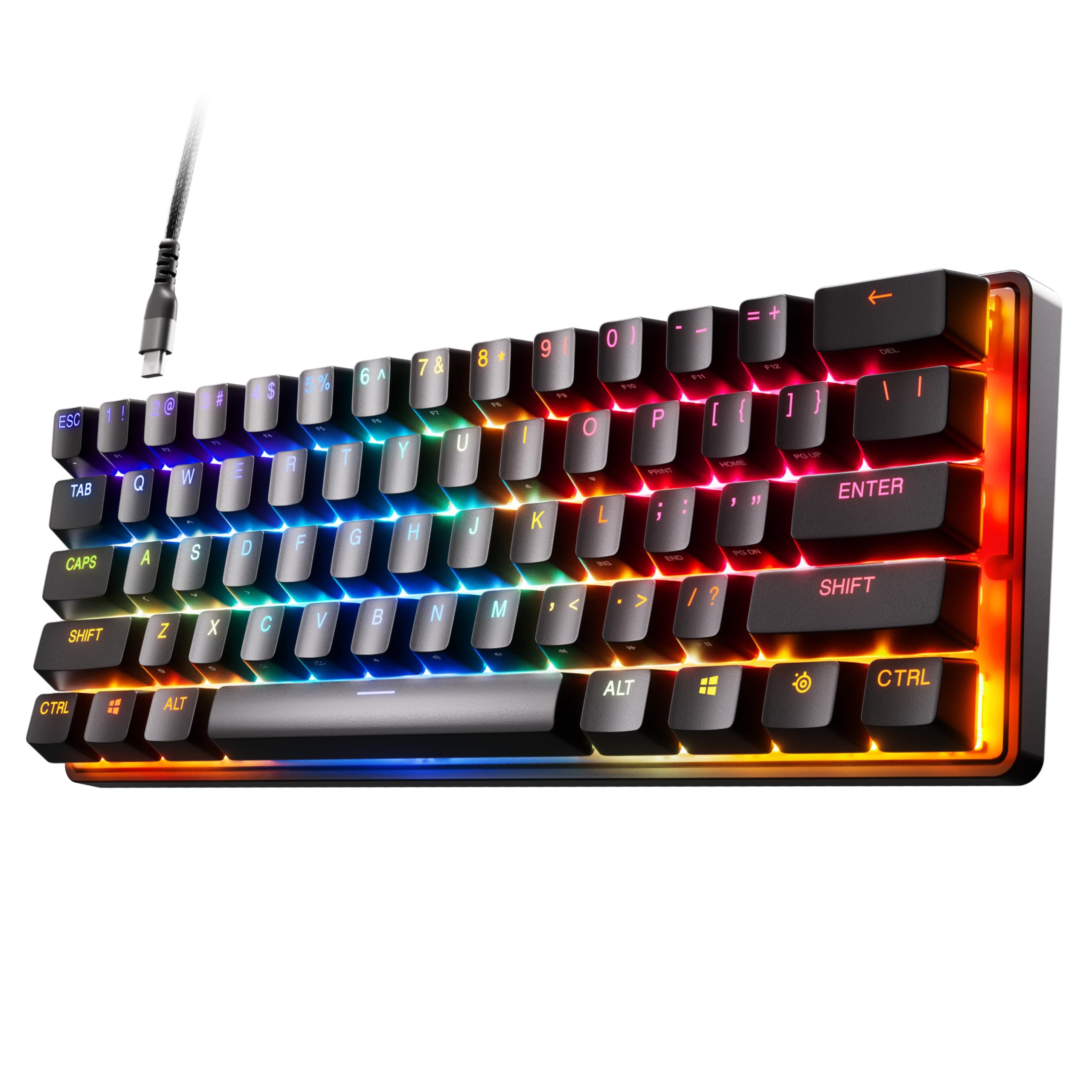
- The 60% layout retains full-size functionality.
- Per-key actuation has 40 levels.
- It has a detachable USB-C connection.
Best For: Users who need a very compact layout and want adjustable key actuation for work and play.
SteelSeries Apex Pro Mini Wired
- It uses a compact 60% form factor.
- Switch actuation can be set across 40 levels per key.
- The USB-C cable is detachable.
Best For: Users who want a compact wired keyboard with per-key actuation controls.
JLab Go Wireless Keyboard
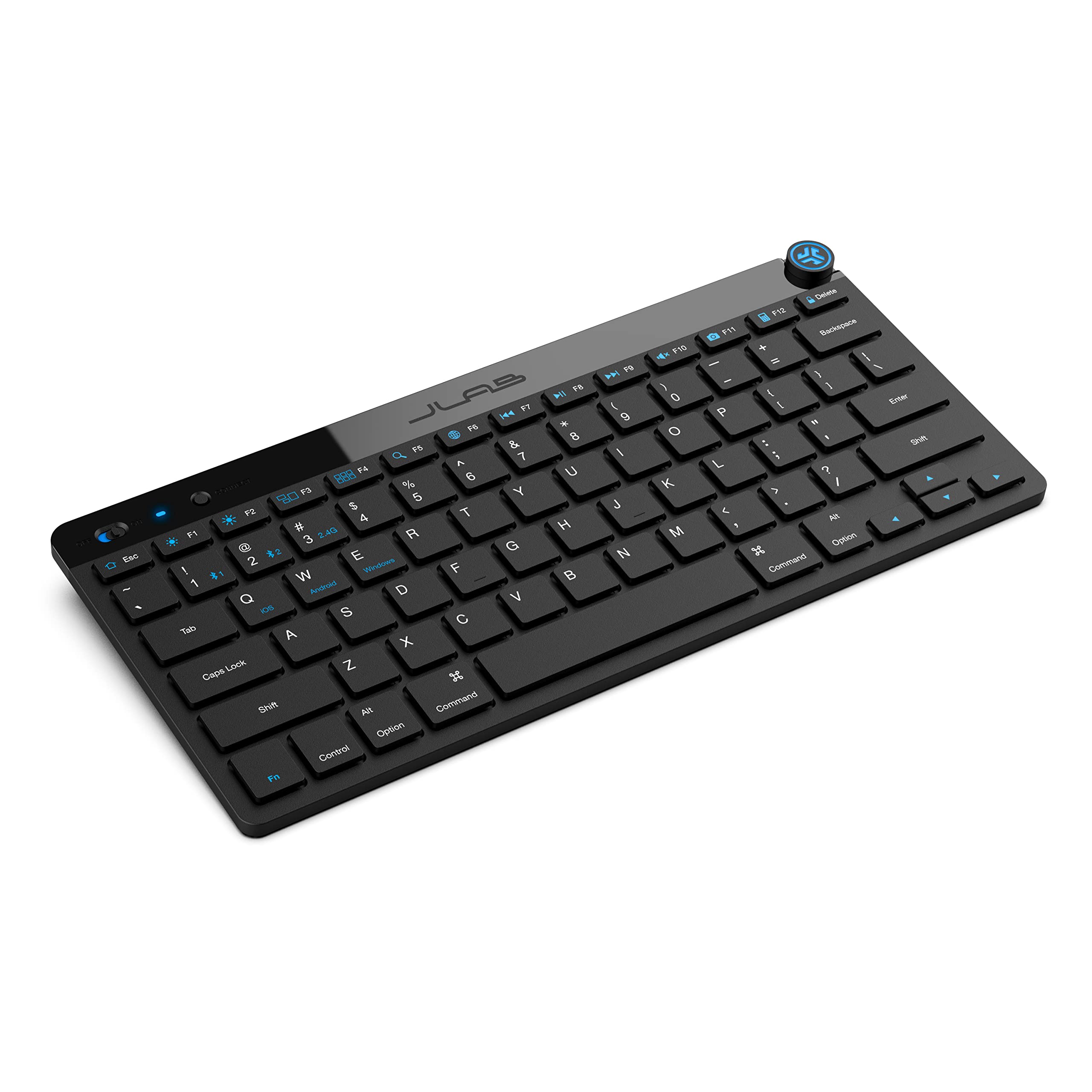
- It has a compact, low-profile design.
- The keyboard can save up to three device connections.
- The keys use a scissor-switch design.
Best For: People who want a compact, lightweight keyboard for travel or minimal desk setups.
SOLAKAKA KI99 Pro Silent

- The 96% layout saves desk space and includes a knob.
- Silent switches and five layers are intended to reduce typing noise.
- It supports Bluetooth, 2.4G, and Type-C connections.
Best For: Mechanical keyboard users who want quieter switches, a number pad, and wireless connections.
SOLAKAKA A75 Wireless Mechanical Keyboard
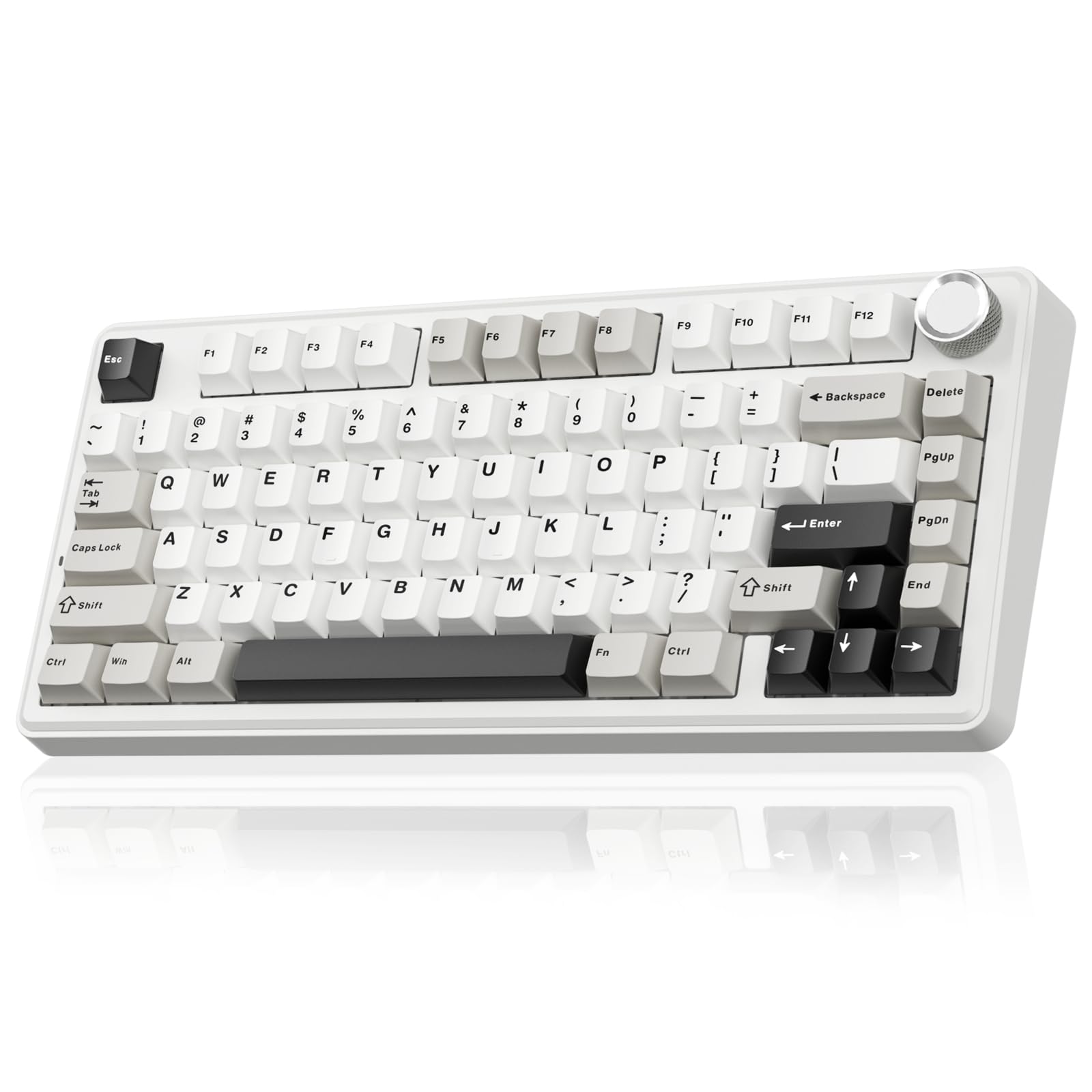
- The 81-key layout retains essential arrow keys.
- PBT keycaps are double-shot molded.
- A 4,000mAh battery is included.
Best For: Workers who want a compact mechanical layout, wireless modes, and durable PBT keycaps.
SOLAKAKA A99 Pro Mechanical Keyboard
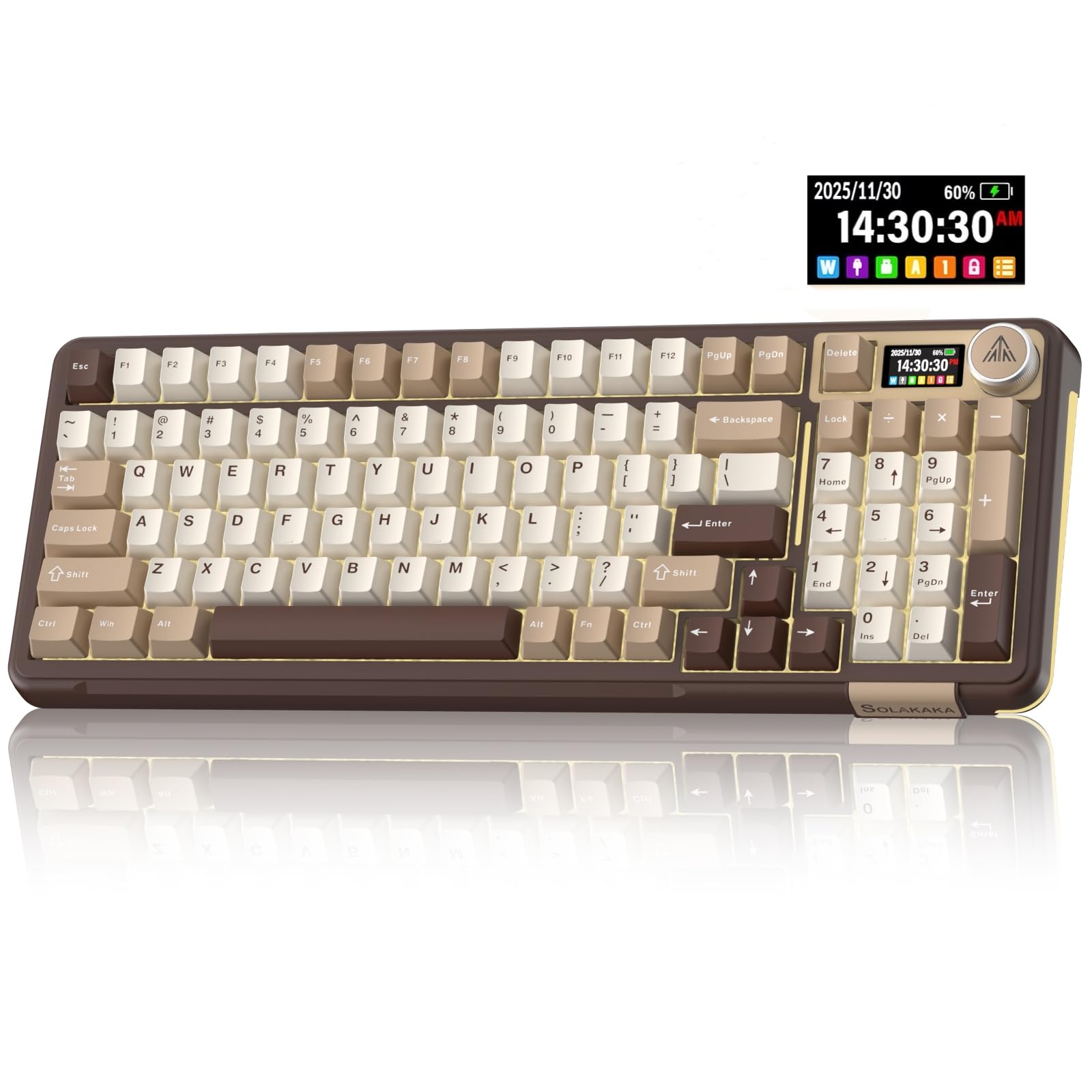
- The LCD shows battery, system, and connection information.
- It supports three connection modes and up to five devices.
- Switches can be replaced without soldering.
Best For: Users who want a number pad, device switching, and a configurable mechanical keyboard.
Quiet Wireless Office Pick
JLab JBuds Wireless Keyboard, 95 Key, Multi-Device Bluetooth and USB dongle, Soft Touch Keys, Media knob, Custom Profiles, Black
The JLab JBuds pairs a full numerical pad with 95 soft-touch keys in a slim design. Its typing feel is described as tactile and quiet, and a dedicated media knob handles volume and playback without reaching for software controls.
Connect over Bluetooth 5.2 or the USB wireless dongle, then toggle among up to three connections. The keyboard works with Windows, macOS, Android, and iOS, and the rechargeable battery is rated for up to 30 days of wireless use.
This is a practical fit for a shared workspace or a desk used with several devices; check whether its 95-key layout has the exact keys you rely on.
Best For: Office users who want quiet typing, a number pad, and wireless device switching.
| Pros | Cons |
|---|---|
|
|
Choose this JLab when office typing, a number pad, and switching between a few devices matter more than mechanical customization. The quiet soft-touch description makes it a sensible shared-room option, while the compact 95-key layout may save space compared with a conventional full-size board.
Check the key arrangement and receiver needs against your setup before buying. The stated battery life is up to 30 days, so actual time between charges will depend on use.
Full-Size Backlit Workstation
JLab, Epic, Wireless Keyboard, Bluetooth 5.2, USB Dongle, Multi-Device, Backlit, 108 Keys, Black
The JLab Epic keeps a full-size 108-key layout and adds backlighting for typing in dim rooms. Soft-touch keys are intended to keep the feel comfortable and quiet through longer work sessions, while the built-in media knob gives quick volume control.
Its metal base is a useful desk-focused detail, and the keyboard can connect to up to three devices over Bluetooth 5.2, with a USB wireless dongle as another option. It works across Windows, Mac and iOS, Android, and Chrome OS.
This is a fit for users who want familiar full-size navigation and number keys; check that its backlit design and connection method suit your desk.
Best For: People who want a full-size layout, backlighting, and connections for multiple devices.
| Pros | Cons |
|---|---|
|
|
The Epic is a straightforward choice if you want all the keys of a full-size work keyboard and often type in low light. The metal base and soft-touch keys prioritize desk use, while the three-device Bluetooth support can reduce repeated pairing when moving between computers or tablets.
Consider the JLab JBuds if a more compact numeric-pad layout matters or longer stated battery runtime is a priority. Confirm that the full-size footprint fits your workspace.
Quiet Typing With a Wrist Rest
SteelSeries Apex 3 RGB Gaming Keyboard – 10-Zone RGB Illumination – IP32 Water Resistant – Premium Magnetic Wrist Rest (Whisper Quiet Gaming Switch)
The SteelSeries Apex 3 is a full-size wired keyboard with whisper-quiet gaming switches and a magnetic wrist rest. Its dedicated multimedia controls handle volume and settings at the keyboard, and 10-zone RGB illumination adds adjustable color without changing its office-friendly control layout.
The IP32 water-resistance feature is intended to help prevent damage from accidental liquid spills, though it should not be treated as a reason to expose the keyboard to liquids. Its quiet switches and included wrist rest make it a candidate for a desk where noise and palm support matter.
Check the full-size layout and wired connection against your workstation before choosing it.
Best For: Desk workers who prefer quiet wired typing with a wrist rest and media controls.
| Pros | Cons |
|---|---|
|
|
Pick the Apex 3 if you want a quiet, full-size desk keyboard with a wrist rest already included. It prioritizes straightforward media controls and spill resistance over wireless convenience or a work-focused software feature set.
The IP32 detail can be reassuring around incidental spills, but it does not replace sensible care. If you want multiple wireless connections or backlighting aimed at low-light typing, compare the JLab options; confirm the Apex 3's cable arrangement suits your desk.
Compact Quiet Desk Layout
SteelSeries Apex 3 TKL RGB Gaming Keyboard – Tenkeyless Compact Form Factor - 8-Zone RGB Illumination – IP32 Water & Dust Resistant – Whisper Quiet Gaming Switch – Gaming Grade Anti-Ghosting,Black
The SteelSeries Apex 3 TKL trims the layout to a tenkeyless form, freeing desk space around the mouse while retaining a compact keyboard footprint. Its whisper-quiet switches are paired with anti-ghosting, and the design is rated for over 20 million keypresses.
IP32 water and dust resistance is intended to help protect against incidental exposure. Dedicated multimedia controls include a clickable volume roller and media keys, while RGB illumination can be adjusted through PrismSync.
It suits work setups where typing noise and desk space are priorities, but a tenkeyless layout omits the dedicated number pad found on full-size boards. Consider your spreadsheet and data-entry habits before selecting it.
Best For: Workers who want a quieter tenkeyless keyboard and more room around the mouse.
| Pros | Cons |
|---|---|
|
|
Choose the Apex 3 TKL when a smaller desk footprint and quiet key sound matter more than a dedicated number pad. Its media roller and resistance features give it useful day-to-day controls, and it retains the familiar arrow keys associated with a compact keyboard.
For frequent numeric entry, a full-size JLab Epic or a mechanical model will be more convenient. Check that the desk space saved by tenkeyless is worth the number-pad tradeoff for your work.
Compact Adjustable-Actuation Board
SteelSeries Apex Pro Mini HyperMagnetic Gaming Keyboard – Adjustable Actuation – Compact 60% Form Factor – RGB – PBT Keycaps – USB-C
The Apex Pro Mini uses a 60% form factor with full-size functionality, making it a space-conscious option for a desk shared with a mouse, notebook, or tablet. Its OmniPoint 2.0 HyperMagnetic switches offer 40 levels of per-key actuation from 0.1 to 4.0mm, and keys can be programmed for two actions at different press depths.
The board has a premium aluminum top plate and detachable USB-C connection. The compact layout relies on secondary functions for keys that larger keyboards place separately, so it is best for users comfortable adapting their workflow.
Software features vary by operating system, so check the Mac compatibility note if you plan to customize it there.
Best For: Users who need a very compact layout and want adjustable key actuation for work and play.
| Pros | Cons |
|---|---|
|
|
This Mini is for a compact desk where reclaiming mouse space matters and the user is comfortable with a 60% layout. Its adjustable actuation and two-action keys offer customization beyond ordinary office keyboards, though those controls may be unnecessary for routine document work.
If you regularly use dedicated function, navigation, or number keys, a full-size option will require less adaptation. Check the operating-system software limits before relying on custom settings on a Mac.
Wired 60% With Adjustable Keys
SteelSeries Apex Pro Mini HyperMagnetic Gaming Keyboard – Adjustable Actuation – Compact 60% Form Factor – RGB – PBT Keycaps – USB-C
This wired Apex Pro Mini keeps to a 60% footprint while retaining full-size functionality through alternate key functions. The OmniPoint 2.0 switches support per-key actuation adjustment across 40 levels, and the two-in-one action feature assigns separate actions to light and deep presses.
A detachable USB-C cable and aluminum top plate round out the hardware. Windows, Xbox, PlayStation, and Mac OS X compatibility is listed, with a note that not all software features work on Mac.
Its small layout is most useful when desk space is limited; users who depend on a dedicated number pad or separate navigation cluster should consider a larger option.
Best For: Users who want a compact wired keyboard with per-key actuation controls.
| Pros | Cons |
|---|---|
|
|
The wired Mini suits a workspace where a compact keyboard is a stronger priority than keeping every key in a dedicated position. Adjustable actuation gives it more flexibility than a basic office board, but it brings a learning curve and may not help users who mainly type documents or enter numbers.
Consider the wireless Mini if moving between devices without a cable matters. Before choosing either, verify that the 60% key arrangement fits your regular shortcuts.
Portable Minimal Desk Keyboard
JLab Go Wireless Keyboard, Bluetooth and USB dongle, Multi-Device, Compact, Black (4 Pack)
The JLab Go is a compact, low-profile wireless keyboard designed for travel, home offices, and uncluttered desks. It connects over Bluetooth 5.0 or a USB wireless dongle and can save up to three device connections for switching between a laptop, tablet, or phone.
The 78-key scissor-switch layout is intended to provide quiet, comfortable typing, and the keyboard works with Windows, macOS, iOS, Android, and Chrome OS. This candidate is a four-pack, making the set more appropriate for teams or shared environments than a single-keyboard purchase.
Check the package quantity and key layout against your needs before buying.
Best For: People who want a compact, lightweight keyboard for travel or minimal desk setups.
| Pros | Cons |
|---|---|
|
|
The JLab Go is a good match for frequent travel or a minimalist desk where portability matters more than a full-size key layout. Its multi-device support is useful for people who type across a laptop and mobile device, and the scissor-switch format is closer to low-profile laptop typing than a mechanical board.
The four-pack is a key purchase consideration: it makes more sense for a group or several workstations than an individual replacement. Confirm the 78-key layout has the keys your daily shortcuts require.
Quieter Mechanical 96% Layout
SOLAKAKA KI99 Pro Wireless Mechanical Keyboard with Quiet Switch, Hot Swappable Pre-Lubed Switches with RGB Backlit, Gasket Structure Computer Gaming Keyboard (BlackBlue, Silent Switch)
The SOLAKAKA KI99 Pro Silent pairs a 96% layout with a number pad and a control knob, retaining most full-size functions while saving some desk space. Its five noise-reducing layers and silent switches are intended to lower typing noise, while the 10,000mAh battery supports Bluetooth 5.0, 2.4G wireless, or Type-C wired connection.
Hot-swappable keys support 3- and 5-pin switches, and the PBT keycaps are designed to resist wear and fading. It is a mechanical option for a quieter office setup, though switch feel and sound remain personal preferences.
Check the connection mode and software support that suit your work devices.
Best For: Mechanical keyboard users who want quieter switches, a number pad, and wireless connections.
| Pros | Cons |
|---|---|
|
|
Choose the KI99 Pro Silent if you want a mechanical typing experience with a number pad and sound-dampening features. Its wireless and wired modes give flexibility at a desk, while switch hot-swap makes later customization possible.
Compared with the simpler JLab office models, it adds lighting and customization but may involve more setup. Confirm the silent switches match your preferred feel, and check receiver and software requirements before relying on its wireless or programmable functions.
Compact PBT Keycaps and Knob
SOLAKAKA A75 75% Wireless Mechanical Keyboard, Hot Swappable Gaming Keyboard with Multifunction Knob & RGB, Gasket Mounted Creamy Keyboard, PBT Keycaps, Compact Layout for Win/Mac/PC
This SOLAKAKA A75 uses an 81-key 75% layout that retains arrow keys while reducing the footprint of a conventional keyboard. A multifunction metal knob changes between gaming and office modes, with volume control available in office mode.
It supports Bluetooth 5.0, 2.4GHz wireless, and USB-C, and can connect to up to five devices. The keyboard includes PBT keycaps and a 4,000mAh battery, along with hot-swappable switches and RGB lighting.
It can suit a mixed work and play desk, but its compact arrangement has fewer dedicated keys than a full-size board. Check that your frequent shortcuts remain convenient in the 75% layout.
Best For: Workers who want a compact mechanical layout, wireless modes, and durable PBT keycaps.
| Pros | Cons |
|---|---|
|
|
This A75 is suited to a desk where compact size and several connection options matter, but a number pad is not essential. PBT caps and the knob add practical appeal, while the 81-key arrangement preserves arrow keys for navigation.
Its software restriction matters if you intend to customize it from a Mac or wirelessly. For frequent numerical work, a keyboard with a number pad will be more convenient; for quieter conventional typing, a soft-touch office keyboard is simpler.
Multi-Device Board With LCD Controls
SOLAKAKA A99 Pro Mechanical Keyboard with LCD Screen & Metal Knob, Wireless Gaming Keyboard with BT5.0/2.4GHz/USB-C, Hot Swappable Creamy Keyboard, Gasket Structure, RGB Backlit, for Win/Mac
The SOLAKAKA A99 Pro combines a compact layout with a numeric keypad, arrow keys, and function keys in a more space-conscious arrangement than a traditional full-size board. Its LCD screen shows details such as battery level, system, and connection mode, while the metal knob controls volume, lighting, and other settings.
It supports Bluetooth 5.0, 2.4GHz wireless, and USB-C wired connections, with up to five saved devices. Hot-swappable switches and a gasket structure add customization options and a cushioned typing feel.
This is a feature-rich work and gaming desk choice; check the driver workflow and layout before relying on advanced customization.
Best For: Users who want a number pad, device switching, and a configurable mechanical keyboard.
| Pros | Cons |
|---|---|
|
|
Choose the A99 Pro if you value a number pad and want a compact mechanical keyboard with visible device information and a configurable knob. Its three connection modes can suit a mixed-device desk, and hot-swap allows switch changes without soldering.
The added display and software controls bring more setup complexity than the JLab office boards. Check operating-system support for the driver before purchase, especially if you plan to configure macros or key mappings on a Mac.
How to Choose Keyboards For Work
How We Picked Keyboards for Work
The candidates include practical office keyboards alongside gaming-oriented models that share some useful work features. We favored quiet or soft-touch typing, media controls, multi-device connections, and layouts that preserve a number pad or arrow keys.
We also included compact choices for smaller desks, but avoided filling the list with near-identical offers or features focused mainly on gaming response.
The result spans low-profile wireless boards, quiet tenkeyless options, and configurable mechanical keyboards. Each suits a different work pattern: routine office typing, frequent device switching, compact desk layouts, or users who want to tune their switches and keys.
Comparing Keyboards for Work
Layout is the first practical distinction. Full-size and 96% keyboards preserve number pads for data entry, while tenkeyless models save some desk space and 75% or 60% boards reduce the footprint further.
A compact board can leave more room for a mouse, but check how often your work uses a dedicated number pad, function row, or navigation keys.
Typing sound and feel are another dividing line. The JLab JBuds and Epic use soft-touch keys, while the SteelSeries Apex 3 models emphasize whisper-quiet switches.
Mechanical options such as the SOLAKAKA KI99 Silent have switch customization and noise-reducing layers, but still offer a different feel from low-profile office boards.
Wireless convenience varies as well. The JLab models pair Bluetooth with a USB dongle, while the SOLAKAKA mechanical choices add 2.4GHz and wired USB-C modes.
Multi-device switching can help if you use a work computer and personal tablet, but check receiver needs, operating-system support, and whether software customization is available on your platform.
| Product | Standout features | Best for |
|---|---|---|
| JLab JBuds Wireless KeyboardCheck Price |
| Office users who want quiet typing, a number pad, and wireless device switching. |
| JLab Epic Wireless KeyboardCheck Price |
| People who want a full-size layout, backlighting, and connections for multiple devices. |
| SteelSeries Apex 3Check Price |
| Desk workers who prefer quiet wired typing with a wrist rest and media controls. |
| SteelSeries Apex 3 TKLCheck Price |
| Workers who want a quieter tenkeyless keyboard and more room around the mouse. |
| SteelSeries Apex Pro MiniCheck Price |
| Users who need a very compact layout and want adjustable key actuation for work and play. |
| SteelSeries Apex Pro Mini WiredCheck Price |
| Users who want a compact wired keyboard with per-key actuation controls. |
| JLab Go Wireless KeyboardCheck Price |
| People who want a compact, lightweight keyboard for travel or minimal desk setups. |
| SOLAKAKA KI99 Pro SilentCheck Price |
| Mechanical keyboard users who want quieter switches, a number pad, and wireless connections. |
| SOLAKAKA A75 Wireless Mechanical KeyboardCheck Price |
| Workers who want a compact mechanical layout, wireless modes, and durable PBT keycaps. |
| SOLAKAKA A99 Pro Mechanical KeyboardCheck Price |
| Users who want a number pad, device switching, and a configurable mechanical keyboard. |
Choosing a Quiet Office Keyboard
For shared offices or calls, look for a keyboard designed for quieter typing and direct media controls. The JLab JBuds pairs soft-touch keys with a number pad and media knob.
The SteelSeries Apex 3 options provide whisper-quiet switches, and the full-size version includes a magnetic wrist rest. The Apex 3 TKL sacrifices the number pad to reduce its footprint.
Quietness labels do not tell you everything about feel. Soft-touch membrane-style keys, scissor switches, and mechanical switches produce different typing experiences.
If coworkers are nearby, consider switch type and the way you usually type, as well as the available desk space.
Picking a Keyboard Layout for Your Workday
Accountants, spreadsheet users, and anyone entering figures often benefit from a dedicated number pad. The JLab Epic and SOLAKAKA 96% models keep one while reducing some bulk compared with a traditional full-size keyboard.
Tenkeyless boards work well for writing and general navigation when you do not need frequent numeric entry.
For a smaller desk or a keyboard that travels, 75% and 60% designs cut more keys. The A75 keeps arrow keys in an 81-key layout; the Apex Pro Mini uses a 60% form factor and assigns some full-size functions to alternate inputs.
Before choosing a compact work keyboard, check where your frequent shortcuts and navigation keys are placed.
Who Should Buy Which Work Keyboard
Choose the JLab JBuds for quiet office typing, a number pad, and wireless switching among devices. Pick the JLab Epic if backlighting and a full-size layout matter.
The SteelSeries Apex 3 suits a desk where a wrist rest and quiet switches are useful, while the TKL version is a better fit when mouse space matters more than a number pad.
For users who prefer mechanical keys, the SOLAKAKA KI99 Silent combines sound-dampening details with a number pad, and the A99 Pro adds an LCD and configurable controls. The A75 keeps arrow keys in a smaller footprint.
Consider a SteelSeries Apex Pro Mini when desk space and adjustable actuation are priorities, and verify its compact key layout and operating-system software support fit your work habits.